




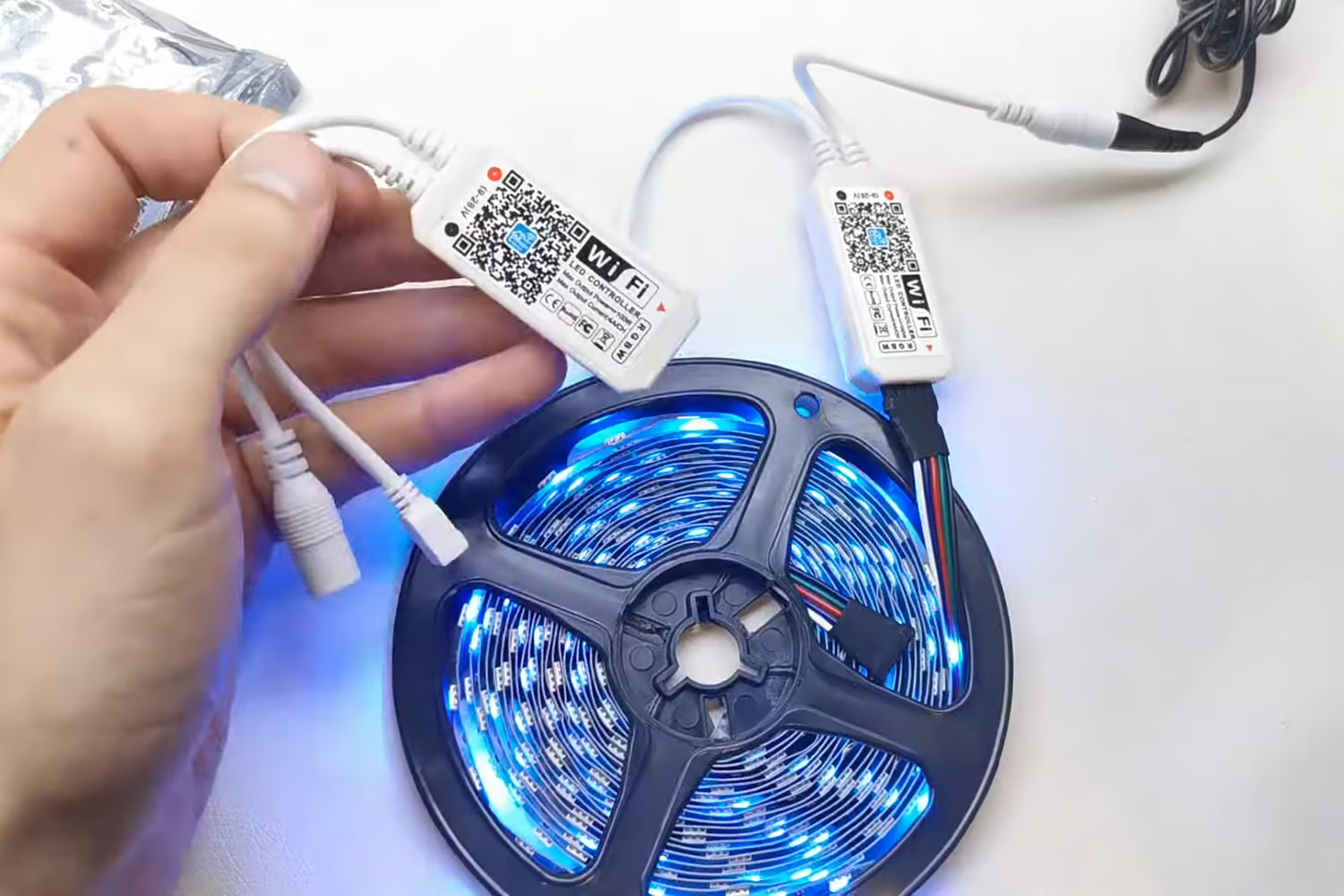
LED lights are widely used in modern homes because they provide energy efficiency, long lifespan, and versatile lighting options. From smart LED bulbs and decorative strip lights to under-cabinet lighting and ceiling fixtures, LED systems have become a standard part of home lighting design. However, like many electronic devices, LED lights can occasionally experience technical issues that require resetting.
Problems such as:
- Flickering lights
- Unresponsive remotes
- Incorrect color settings
- Connectivity failures
- Flashing patterns
- Brightness problems
can often be solved with a quick reset at home.
Fortunately, resetting most LED lighting systems is usually simple and does not require advanced technical knowledge. In many cases, a few quick steps can restore the lights to normal operation without needing professional repairs.
This guide explains how to reset LED lights quickly at home while covering common troubleshooting methods and useful maintenance tips.
Why LED Lights Sometimes Need Resetting
LED lighting systems contain electronic circuits and controllers that manage:
- Brightness
- Color settings
- Smart connectivity
- Remote synchronization
- Power regulation
Occasionally, temporary system glitches may occur due to:
- Power interruptions
- Voltage fluctuations
- Software errors
- Wi-Fi problems
- Incorrect settings
Resetting the system often clears these temporary issues and restores default functionality.
Common Signs Your LED Lights Need Resetting
Several symptoms may indicate that a reset is necessary.
Common problems include:
- LED lights not responding
- Flickering or blinking
- Color changes not working properly
- Smart app connection failure
- Remote control malfunction
- Lights freezing on one mode
A reset is often one of the fastest ways to solve these issues.
Basic Quick Reset Method for LED Lights
For many standard LED systems, a simple power reset works effectively.
Step 1: Turn Off the LED Lights
Use the:
- Wall switch
- Remote control
- Power button
to completely turn off the lighting system.
Step 2: Disconnect the Power
Unplug the LED lights from the power source if possible.
Wait approximately:
- 10 to 30 seconds
This allows the internal system to fully reset.
Step 3: Restore Power
Reconnect the power supply securely.
Ensure:
- Adapters are fully connected
- Cables are not loose
- Connectors are aligned properly
Step 4: Turn the Lights Back On
Switch the LED lights back on and check whether the issue has been resolved.
This simple method fixes many common LED problems.
How to Quickly Reset LED Strip Lights
LED strip lights are especially common in:
- Bedrooms
- Kitchens
- Gaming setups
- Entertainment areas
These systems often include:
- Remote controllers
- RGB color functions
- Smart controls
Fast LED Strip Reset Method
- Turn off the strip lights
- Unplug the power adapter
- Wait 15 seconds
- Reconnect power
- Turn the lights back on
If the system includes a controller reset button, press and hold it for several seconds after reconnecting power.
How to Reset Smart LED Bulbs
Smart bulbs connected to:
- Wi-Fi
- Bluetooth
- Smart home apps
sometimes require factory resetting.
Common Smart Bulb Reset Process
Many smart bulbs reset by:
- Turning the bulb on and off repeatedly in a specific pattern
The bulb may flash several times to confirm the reset.
Different manufacturers use different sequences, but the process is usually quick and simple.
Resetting LED Lights Connected to Mobile Apps
App-controlled LED systems may disconnect from smart home platforms occasionally.
Quick App Troubleshooting Steps
- Restart the mobile app
- Check Wi-Fi connectivity
- Power cycle the LED lights
- Reconnect the lights in the app settings
Stable internet signals improve smart lighting performance.
How to Reset LED Lights with Remote Controls
Remote-controlled systems may lose pairing over time.
Quick Remote Reset Method
- Turn off the LED lights
- Remove the remote batteries briefly
- Restore power to the lights
- Reinsert batteries
- Press the pairing or power button
This often restores communication between the remote and lighting system.
Fixing Color Problems in RGB LED Lights
RGB lights may occasionally display incorrect colors or fail to synchronize properly.
A reset can often restore normal color functions.
Quick RGB Reset
- Turn off the lights
- Disconnect power briefly
- Restore power
- Hold the controller button if needed
Many RGB systems flash colors during the reset process.
Troubleshooting LED Lights After Resetting
If problems continue after resetting, additional troubleshooting may help.
Check Power Connections
Loose or damaged power connections can cause:
- Flickering
- Partial lighting
- Intermittent operation
Inspect:
- Adapters
- Connectors
- Extension cords
- Controller cables
Secure connections improve performance.
Inspect the Power Supply
Incorrect or failing power supplies may create LED problems.
Signs include:
- Dimming
- Flashing
- Random shutdowns
Using the correct voltage and wattage is important for safe operation.
Check Wi-Fi Signal Strength
Smart LED systems depend on stable internet connections.
Weak Wi-Fi may cause:
- Delayed responses
- App disconnections
- Pairing failures
Router placement and signal strength can affect performance.
Common Mistakes to Avoid
Some actions can interfere with successful LED resets.
Avoid:
- Rapidly unplugging cables repeatedly
- Using incompatible adapters
- Pulling connectors forcefully
- Ignoring manufacturer safety instructions
Proper handling helps extend LED lifespan.
Why LED Lights Are Popular in Modern Homes
LED lighting remains highly popular because it offers:
- Energy efficiency
- Long operating life
- Low heat production
- Versatile color options
- Smart home compatibility
Their convenience and customization make them ideal for modern interior lighting.
Benefits of Resetting LED Lights at Home
Quick LED resets can help:
- Restore lighting performance
- Reconnect smart controls
- Resolve temporary glitches
- Improve responsiveness
- Save troubleshooting time
Many common issues can be solved without replacing the lighting system.
When Professional Help May Be Necessary
Some electrical issues may require expert assistance.
Professional help may be needed if:
- Wiring appears damaged
- Breakers trip repeatedly
- Lights continue malfunctioning
- Burning smells occur
Electrical safety should always remain a priority.
Maintenance Tips for Better LED Performance
Proper care helps reduce future lighting problems.
Helpful maintenance practices include:
- Keeping connectors clean
- Avoiding excessive moisture
- Preventing overheating
- Using compatible accessories
Regular maintenance improves long-term reliability.
Final Thoughts
Knowing how to reset LED lights quickly at home can help solve many common lighting problems without complicated repairs. Whether dealing with LED strip lights, smart bulbs, RGB systems, or remote-controlled fixtures, simple reset methods often restore normal performance within minutes.
By following safe troubleshooting steps and maintaining stable power connections, homeowners can keep their LED lighting systems functioning efficiently and reliably for years to come.